
When Smart Bidding Gets Stupid: How Google Ads Can Waste Your Budget Without You Realizing It
Google Ads' Smart Bidding promises automated efficiency—but when fed the wrong data, it can quietly drain your budget chasing low-quality leads.
Use our press release template AP style to craft professional media releases. Get actionable tips and examples for effective outreach.

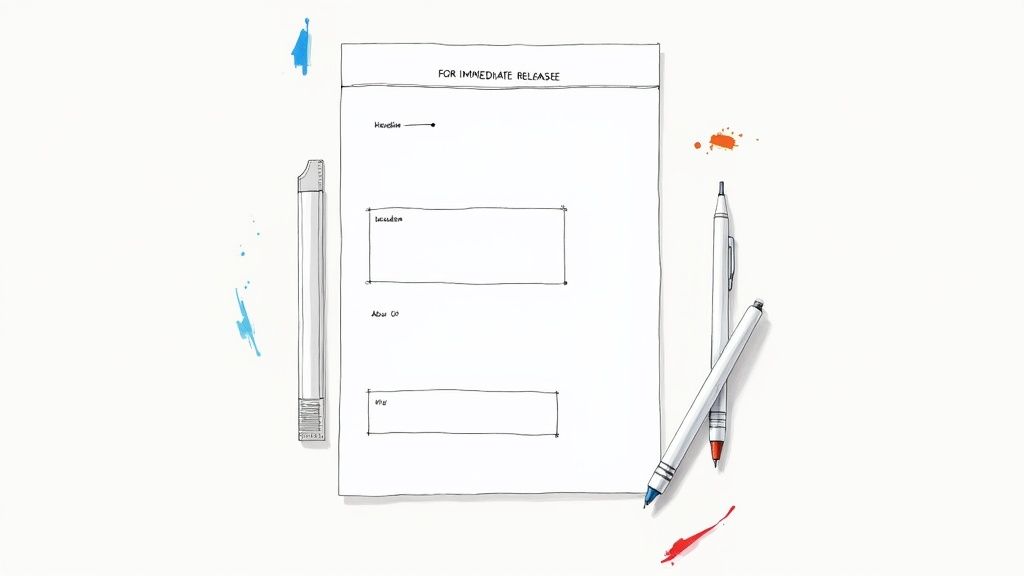
Think of an AP style press release template as your secret handshake with the media. It’s a standardized format that journalists instantly recognize and respect, which makes it far easier for them to grab your story and run with it.
If you want journalists to take you seriously, you have to speak their language. In the news world, that language is Associated Press (AP) style. It’s the universal grammar of the industry, a framework that guarantees clarity, consistency, and credibility.
When your press release lands in a reporter’s crowded inbox, the format is the very first thing they’ll notice. A clean, correctly formatted release shows you’re a professional who respects their time. It tells them you’ve handed them a story that’s ready to go, not a project they have to fix.
Instead of wasting precious minutes reformatting your text or fixing basic number and capitalization errors, they can get straight to the heart of your news. That small bit of prep on your end can be the difference between getting featured and getting ignored.
Put yourself in the shoes of a busy editor on a tight deadline. They’re sifting through dozens of pitches. One is a messy wall of text with weird fonts and salesy jargon. The other is clean, structured, and follows the familiar AP format. Which one do you think they’ll open?
That’s the real power of AP style: it builds immediate trust. The Associated Press has been setting the standard for journalistic writing since 1846.
It’s no surprise that today, over 90% of major U.S. newsrooms rely on AP style. By following these rules, you can boost your chances of getting media pickup by as much as 40% simply because your content requires less work from their end.
A well-structured AP style press release isn't just about following rules—it's a strategic move. You're reducing the friction for journalists, making your news the easiest and most appealing option for them to publish.
To really level up your outreach, look into some essential PR tools. These platforms can help you manage contacts, track who you’ve pitched, and make sure your perfectly polished message gets to the right people. At the end of the day, mastering the AP format is a direct investment in your brand’s credibility.
If you want journalists to take your news seriously, you have to present it in a format they recognize and respect. Think of an AP Style press release not as a set of arbitrary rules, but as a universal language for the media. Each part has a specific job, and when they all work together, your news becomes clear, credible, and easy for a busy reporter to cover.
Getting the structure right is about more than just tradition; it’s a functional system built for speed. From the release timing at the very top to the final contact details, every element is designed to guide a journalist through your story efficiently. Let's walk through the essential components.
A professional press release is built on a few non-negotiable elements. Nail these, and you instantly signal that you know what you're doing, making a journalist's job much simpler.
From there, you jump straight into the lead paragraph, which is arguably the most important part of the entire document. This is where you deliver the core of your story in just one or two powerful sentences.
A Pro's Take: Your lead must answer the classic "Five Ws" (Who, What, When, Where, Why) right away. A journalist should grasp the entire story's essence from this opening alone. If they read nothing else, they should still know what happened.
This simple workflow is a great way to think about crafting a lead that grabs attention from the very first word.
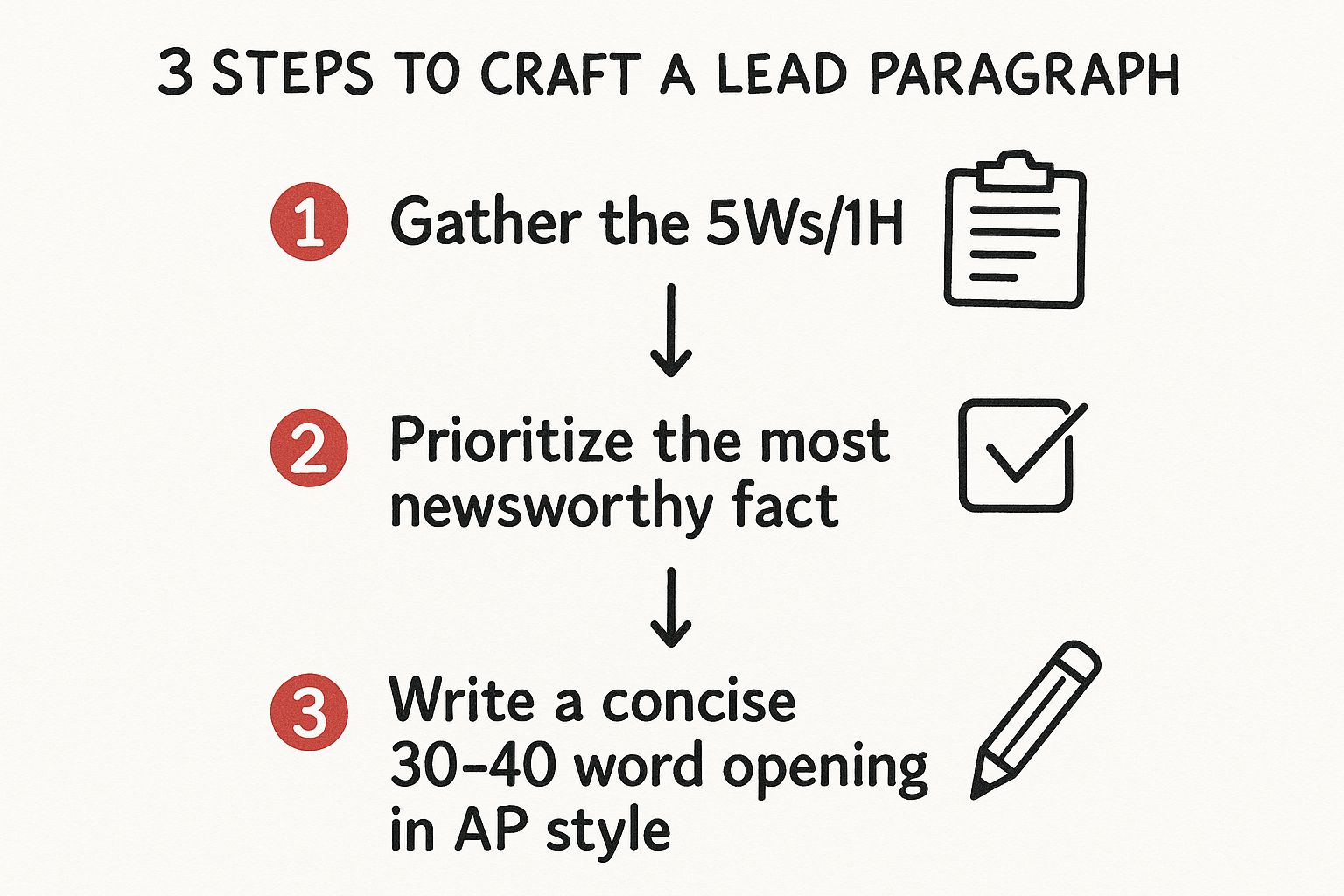
By starting with the single most newsworthy fact, you create a sharp, compelling opening that makes a reporter want to keep reading.
With your lead paragraph set, the body of your press release is where you add the color and context. These paragraphs are for supporting details, impactful quotes from key people, and any background information that helps flesh out the story.
After the body, you'll include your "About Us" section, which is formally known as the boilerplate. This is just a short, standardized paragraph about your company—what it does, its mission, and who it serves. It’s the perfect cheat sheet for a journalist who might not be familiar with your organization. For a much deeper dive into the entire writing process, check out our complete guide on how to write a press release.
Finally, every press release must conclude with two critical elements to be considered complete:
To make it even clearer, I've put together a quick-reference table that breaks down each structural element, its purpose, and key formatting tips.
| Element | Purpose | AP Style Formatting Tip |
|---|---|---|
| Headline | Grab attention and summarize the core news. | Use sentence case, not title case. Aim for under 100 characters for impact. |
| Dateline | Provide essential location and date context. | Format as CITY, State — and then immediately start the lead paragraph. |
| Lead Paragraph | Deliver the most critical information upfront. | Answer the "Five Ws" within the first 25-30 words. Be direct. |
| Boilerplate | Offer standard, factual company information. | Keep it tight—around 100 words—and focus on what your company does. |
| Media Contact | Give journalists a clear point of contact. | List the full name, professional title, direct email, and phone number. |
| End Mark | Clearly indicate the end of the release. | Use "###" centered on its own line. No more, no less. |
Think of this structure as the skeleton of your story. Once you have it down, you can confidently build a compelling narrative that will stand out in a crowded inbox.
Theory is one thing, but having a solid, practical tool is what really gets the job done. To make this easier, I’ve put together a complete, copy-and-paste press release template ap style that’s already formatted to meet professional standards.
This isn’t just a blank slate. Think of it as a live guide. It’s packed with annotations explaining the why behind each formatting choice, so you can draft your next announcement knowing it lines up perfectly with what journalists expect to see.
FOR IMMEDIATE RELEASE
(This all-caps instruction is the industry standard. It’s a clear signal to editors that the news is ready to go public right now.)
Headline Summarizing the Key News in Sentence Case
(A common mistake is using title case here. AP style dictates sentence case for headlines, so you only capitalize the first word and any proper nouns. Your goal is to be direct and informative, ideally staying under 100 characters.)
DATELINE CITY, State – Month Day, Year – Your press release begins right here with the lead paragraph. This is, without a doubt, the most important part of the entire document. You have about 25-40 words to nail down the "who, what, when, where, and why" of your story. A busy journalist should grasp the whole announcement just from reading this opening.
Now you can breathe a little. The second paragraph is where you add more color and context. If you’re launching a new product, this is your chance to touch on its core features or explain the specific problem it solves. Remember to write out numbers one through nine and switch to numerals for 10 and above.
"A direct quote from a key figure—your CEO, a project lead, or an expert—brings a human element and instant credibility to your announcement," said Firstname Lastname, Title at Company. "Great quotes offer perspective and insight; they shouldn't just rehash facts you've already stated. Keep them punchy and memorable."
From here, your next paragraphs should continue to build the narrative. This is the perfect spot for supporting data, hard numbers, or other relevant details that strengthen your announcement. For instance, you could mention that a new program is projected to create 50 new jobs or that your recent event attracted over 200 attendees.
Each paragraph should introduce a new, compelling piece of information. This logical flow guides the reporter through your story, making it incredibly easy for them to pull out the details they need for their own article.
Remember: Your job is to hand a reporter everything they need in a format they recognize instantly. A clean, well-structured press release has a much higher chance of getting picked up than one that forces an editor to do heavy lifting.
About [Company Name]
(This section is your boilerplate. It's a short, standardized blurb—keep it under 100 words—that describes your company. Briefly cover what you do, your mission, and your place in the market. It gives reporters quick, essential background.)
Media Contact:
Name
Title
Email Address
Phone Number
###
(This symbol, centered on its own line, is the universal sign-off for a press release. It tells journalists, "That's all, folks." There is no more information to follow.)
If there's one thing that can get your press release tossed aside in a heartbeat, it's getting the numbers wrong. Journalists are wired to spot formatting mistakes, and when data is presented incorrectly, it’s a red flag that you might not be a credible, professional source. Fortunately, once you get the hang of them, the AP style rules for numbers and data are pretty straightforward.
The core principle is simple: spell out the numbers one through nine, and switch to numerals for 10 and above. You might write about five new features, for example, but then mention 15 new clients. This keeps your text looking clean and easy to read, but—and this is important—there are some key exceptions you absolutely need to know for any press release.
Certain types of information almost always demand numerals, even if the number is less than ten. This isn't just arbitrary; it's about making sure critical data is clear and consistent, especially when you're announcing something packed with metrics. For a deeper dive, this AP style guide from PR Newswire is a fantastic resource to keep handy.
When you're putting together your press release template ap style, you'll notice some data points have their own set of rules. To keep your release looking professional, always use figures for these common elements:
Think of these exceptions as a way to make vital information pop. A reporter scanning your release for key stats will find "7 percent" much more quickly than "seven percent." It’s designed for efficiency.
My Two Cents: The entire point of AP style for numbers is clarity and speed. When a journalist sees you’ve correctly used numerals for ages, money, and percentages, they can pull that data for their story instantly. You're saving them a step, which always works in your favor.
So what happens when you have those big, impressive numbers in the millions or billions? This is where AP style really helps you avoid a long, clunky string of zeroes that just makes your sentences hard to read.
The trick is to use a figure and then write out the word million, billion, or trillion. This makes your data so much more digestible.
Instead of: The company secured $2,500,000 in funding.
You should write: The company secured $2.5 million in funding.
Instead of: The campaign generated 15,000,000 impressions.
You should write: The campaign generated 15 million impressions.
This small change keeps your writing sharp and professional. It signals that you know how to present significant figures in a way that’s both impactful and in line with journalistic standards. It lets your achievements shine without burying your reader in a sea of numbers.
A sloppy-looking press release gets treated like one. It's a hard truth, but before a journalist even reads your headline, the document's presentation has already made an impression. A clean, professional layout immediately signals that you're a serious source who gets how their world works.
Think of it this way: a messy, poorly formatted release is a project for the journalist to fix. A clean one is a story ready to be told. When you're up against a tight deadline, which one would you choose? This is where a solid press release template ap style becomes your secret weapon, ensuring your news is presented in the exact format reporters expect.
The visual structure of your press release is just as critical as the words you write. Simple choices in font, size, and spacing all add up to a professional look that’s easy for a reporter to scan and, more importantly, to work with.
Following these simple rules means an editor can copy and paste your text directly into their system without wrestling with bizarre formatting issues. You're making their job easier, which automatically puts you in their good graces.
Key Takeaway: A journalist’s inbox is a battlefield for attention. A press release that is visually clean and easy to read has a massive advantage. Don't let poor formatting get your important news tossed aside before it's even been considered.
In journalism, brevity is everything. A well-crafted AP style press release should ideally land between 400 and 500 words, which fits neatly on a single page. This forces you to cut the fluff and focus only on what's truly newsworthy, respecting the journalist's time in the process. You can dive deeper into how these elements come together if you check out this guide on AP style for press releases.
When it comes to styling your text, less is truly more. Fight the urge to use flashy colors, multiple fonts, or a heavy hand with bolding and italics. A light touch is key. Use bold text strategically to make a key statistic or company name pop, but otherwise, let the strength of your writing carry the weight. A minimalist approach shows you're confident in the news itself.
Of course, a perfectly formatted release is only effective if it reaches the right people. If you need help getting your story in front of the right eyes, considering the best press release distribution service can be a smart move to ensure it lands in the inboxes that matter most.
Even with a perfect template in hand, a few questions always seem to come up. It's totally normal. Getting the hang of AP style is a journey, not a destination, and I've seen the same handful of issues trip people up time and time again.
I put this section together to tackle those common sticking points directly. Think of it as your go-to troubleshooting guide, built from years of experience, to help you clear up any confusion and send your release out with confidence.
Think of AP style less as a rigid set of laws and more as a professional handshake. It builds instant goodwill with journalists. While a reporter might forgive a minor slip-up, getting major things wrong—like the dateline format or headline case—is a red flag. It immediately signals that you don't understand their world.
Remember, journalists live and breathe this system. A press release that sticks to the rules is one they don't have to spend precious time fixing. That makes your story much more attractive to run. You're showing respect for their craft and, just as importantly, their deadlines.
I always tell my clients to treat AP style compliance as part of the pitch itself. When you hand a journalist a clean, ready-to-publish story, you're making their job easier. That small effort pays off big in credibility.
This is a big one. The press release document itself should always be text-only. Never embed images, videos, or any other media directly into the body of your email or the document you attach. Not only does it look unprofessional, but it can also get your email flagged by spam filters or make the file a pain for reporters to handle.
So what's the right way? Provide a simple link to a dedicated media kit or an online newsroom.
Just add a line near the end of your release, like: "High-resolution images and multimedia assets are available here: [Link to your online folder]." This keeps your release clean while giving journalists exactly what they need to build out their story. It’s the best of both worlds.
After reviewing thousands of press releases, I've noticed the same mistakes pop up again and again. Nail these few details, and you’ll already be ahead of the pack.
Getting these details right is a lot simpler with a good system. For anyone juggling multiple campaigns, checking out different tools for public relations can be a lifesaver for keeping everything organized and consistent.
The professional standard is actually both.
First, paste the clean, plain-text version of your press release directly into the body of your email pitch. Why? Many journalists are wary of opening attachments from senders they don't know—it's a security risk. Putting the text right in the email lets them scan your news immediately, with zero friction.
At the same time, you should also attach a nicely formatted PDF or Word document. This simple, two-pronged approach covers all your bases, respecting different reporters' workflows and maximizing the chance your news gets the attention it deserves.
Google Ads' Smart Bidding promises automated efficiency—but when fed the wrong data, it can quietly drain your budget chasing low-quality leads.

Discover how a modern financial public relations strategy can build credibility and drive growth. Learn to navigate the complexities and secure your success.
Learn how to write a good press release that gets media coverage. Our guide offers expert tips, proven formats, and real-world examples to boost your brand.