AI Press Release Assistant: Edit Your Release With AI Inside the Editor
Fix grammar, shorten copy, or run a custom prompt on your press release without leaving the Press Ranger editor, then approve every change before it applies.
Posted on June 10, 2026
Launches

steve
You can now edit your press release with AI without leaving the Press Ranger editor. The AI Press Release Assistant fixes grammar, tightens your copy, or makes any change you ask for, then shows you every edit before it touches your release. No more copying a draft into ChatGPT and pasting it back. It's available on every account.
What it does
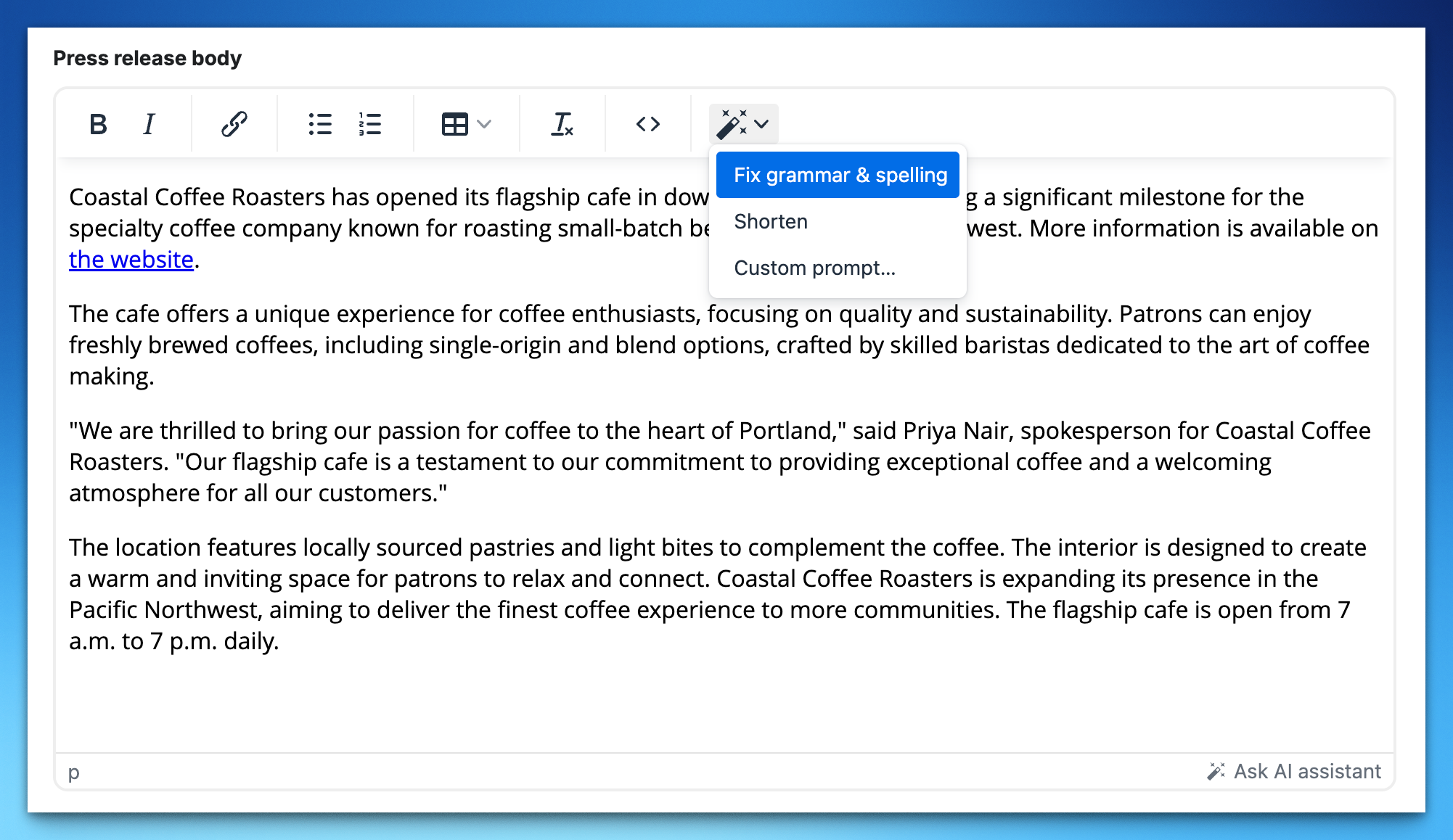
- Fix grammar and spelling. Corrects grammar, spelling, and punctuation without changing your tone or wording.
- Shorten. Makes the text more concise while keeping the key facts, your opening line, and every quote.
- Custom prompt. Tell it exactly what you want: "rewrite the opening to be punchier," "make this sound more confident," or "add a closing sentence linking to our website."
Select a sentence or paragraph to work on just that part. With nothing selected, it works on the whole release.
You approve every change
Nothing changes automatically. When the assistant responds, the editor switches to review mode: removed text is struck through in red and new text is highlighted in green. Each changed paragraph is a single edit you accept or reject. Step through them one at a time, or apply or skip the rest at once. Toggle between the markup view and a clean preview of the result. If the assistant thinks nothing needs changing, it says so and leaves your text alone.
It knows press releases and your company
A general chatbot doesn't know press release conventions. This one does. It writes in third person, never adds a release date line or a "for immediate release" line, and never puts headlines inside the body, because Press Ranger handles those separately. It also has your company's name, website, and description, so it can correctly attribute a quote or link to your site when you ask. It only uses those details when your request calls for them, so it won't sneak in boilerplate you didn't ask for.
Why it matters
Every release on our press release distribution goes through editorial review before it reaches publishers. Clean, specific copy gets approved faster and reads better on Business Insider, Yahoo Finance, and in the AI answers that cite it. The assistant gets your draft there without leaving the editor.
The fine print
- It's a drafting aid. Read the final result before you publish, especially facts, names, and figures.
- Changed your mind after applying an edit? Undo with Ctrl or Cmd + Z.
Where to find it
Open any press release in the editor and click the wand in the toolbar. The AI Press Release Assistant guide covers every action and the review flow, the press release writing guide covers what a strong release looks like, and the release notes are in the changelog.
Sign up for New Feature Friday
We ship a new feature every week, and tell you about it in a snarky Friday email. Covering the intersection of PR, Brand, and AI Search.