Email Open Tracking: See Which Journalists Open Your Pitches
Press Ranger now tracks opens on pitches sent from a connected inbox, so you can see whether each email was opened, how many times, and when.
Posted on June 2, 2026
Launches

steve

You can now track opens on emails sent through Press Ranger. When you send a pitch from a connected inbox, the email record shows whether it was opened, how many times, and when. No more guessing if your pitch was seen. It works on every paid Press Ranger plan.
What you see
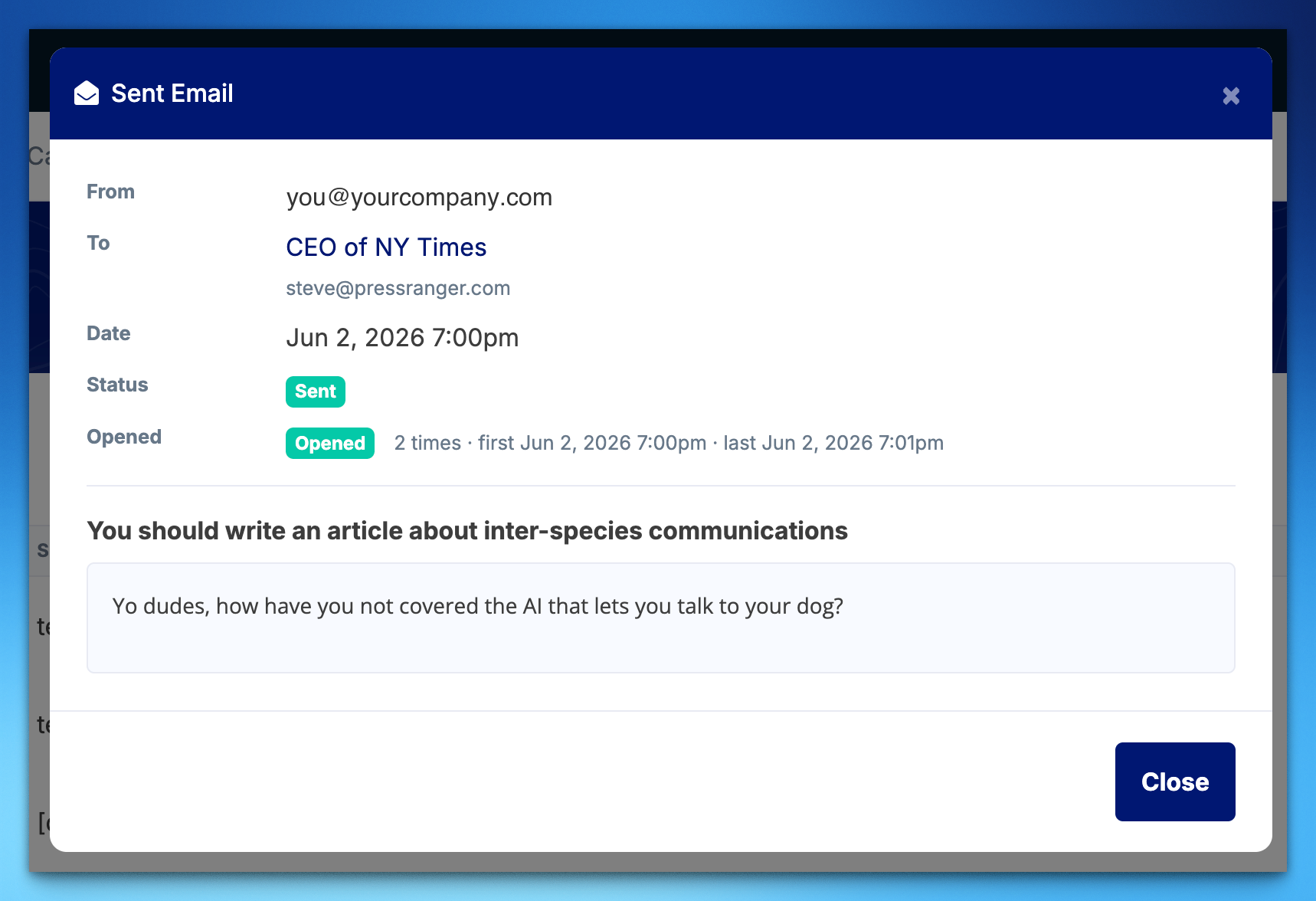
- An Opened badge. Each sent email in the Mail Hub gets an Opened badge once the recipient views it. Hover it to see the open count and the last open.
- The full breakdown. Open the email for the first open, the last open, and the total open count.
- A check on your inbox. If opens come in, your connected inbox is sending. No more wondering if it works.
How it works
Emails sent from a connected inbox include a small tracking pixel. When the recipient's email client loads it, Press Ranger logs the open. Open tracking only covers email sent through a connected inbox. Pitches you send from Gmail or Outlook outside Press Ranger aren't tracked.
Counts are approximate. Some email clients, like Apple Mail and Gmail, pre-fetch or proxy images, which can count an open that didn't happen or miss one that did. Treat the numbers as a signal of engagement, not an exact measurement.
Turn it off any time
Open tracking is on by default. To switch it off for an inbox, open Mail Hub settings and toggle Track opens off. Emails from that inbox go out without the pixel.
Where to find it
Connect an inbox in the Mail Hub, send some pitches, and see who opens them. The Email Management guide covers setup, and the release notes are in the changelog.
Need someone to pitch? Find them in the journalist database, and give them news worth opening with our press release distribution.

Sign up for New Feature Friday
We ship a new feature every week, and tell you about it in a snarky Friday email. Covering the intersection of PR, Brand, and AI Search.