
Press Ranger MCP Server: Run PR Campaigns From Claude, ChatGPT, and Codex
Connect Press Ranger to Claude, ChatGPT, or Codex to draft press releases, find journalists and podcasts to pitch, and track your brand in AI search from a conversation.
Posted on June 19, 2026
Launches

steve

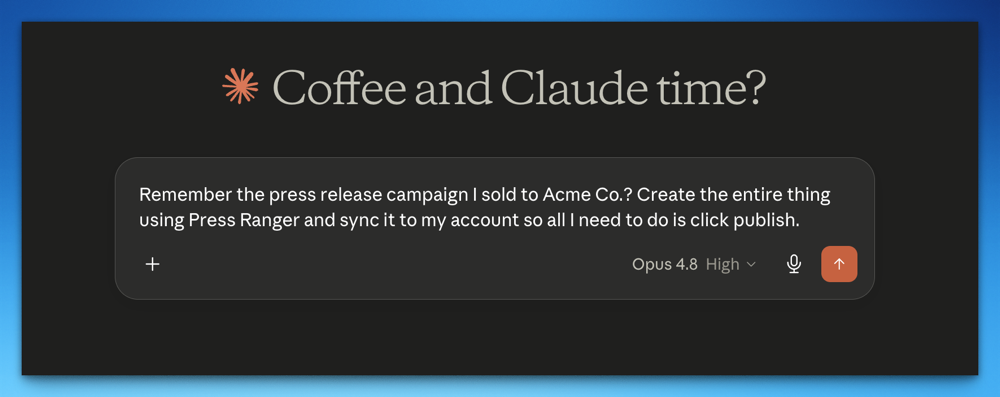
Press Ranger now works inside Claude, ChatGPT, and Codex. Our MCP server connects your account to the AI assistant you already use, so you can run a PR campaign from a conversation: draft the press release, find the journalists and podcasts to pitch, and track how AI search sees your brand. It's available on every Press Ranger account, free plans included.
MCP is a protocol that gives AI assistants access to outside tools. It's the difference between AI writing things and AI doing things. Connect Press Ranger and your assistant works in your account with real data, instead of handing you text to paste into a dashboard.
Press releases
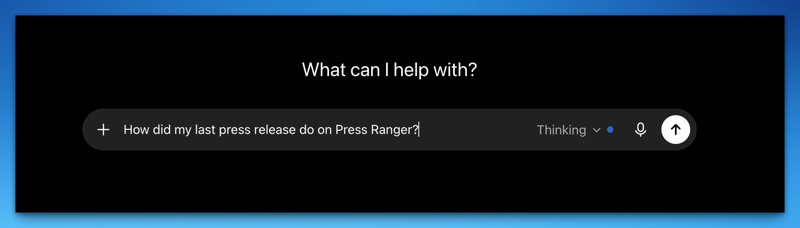
Your assistant can create and edit release drafts and the companies you publish for, add photos and a YouTube video, and check a draft against our editorial standards. It runs the same checks as our publish page, fixes what it can, and hands you the publish link when everything passes. After the release goes out, ask "how did my latest release do?" and it pulls the distribution report, with placements, views, featured placements, podcast links, and AI visibility metrics.
Journalists and media lists
Your assistant can search our journalist database of 300,000+ profiles by beat, outlet, or the articles they've published, and returns each journalist with a validated email, recent coverage, and their full Press Ranger profile. It can save the shortlist to a contact list in your account, tracked in your CRM like any other add. Try:
- "Find me 20 journalists who cover fintech in the UK."
- "Pull all the journalists that have written about my competitors in the last six months."
- "Take the press release we just published and build me a media list for it."
Podcasts
Book yourself or your clients on shows from the same chat. Your assistant searches the podcast database for shows that take guests, with host and booking contacts, and saves them to a contact list. Try:
- "Find me 20 established fintech podcasts that are easy to book."
- "Take the press release we published Tuesday and find podcasts that would actually want that story."
- "My client's CEO needs three podcast appearances this quarter. Build the target list and draft the pitches."
Journalist and podcast search are on paid plans, and email reveals count toward your plan's monthly export limit.
AI search
Your assistant can also run AI Visibility reports. Ask it how a company shows up in ChatGPT, Google AI, Gemini, Perplexity, and Copilot, and it returns the report in chat: what each platform said for a prompt, the proof screenshot, where you rank among the brands it named, and which sources it cited. It can start a company's report too. It plans the prompts from your website, shows them to you, and starts the checks only when you confirm.
From there it can run the whole loop: find the prompts you're missing, open a prompt's Playbook, draft the recommended release into your account, and after you publish, tell you what worked. Try:
- "How does my brand show up on ChatGPT?"
- "Start tracking our visibility when people ask for the best restaurants in Austin."
- "Start a campaign to target what's the best restaurant in Austin."
- "How did last week's release on Austin restaurants do?"
What it can't do
Your assistant can draft, search, check, and report. It can't publish a press release without your permission, and it doesn't send email from your inbox. Everything it creates lands in your account as a draft for you to review, and it can only touch your own data.
Who it's for
If you use Claude or ChatGPT for everything and don't want to log into one more dashboard, this is for you. Agencies can build a client's media list, find their CEO a podcast slot, and drop real report numbers into a client email without leaving the chat. The dashboard isn't going away. It's just not the only doorway anymore.
How to connect
Go to Settings > Integrations in your account and follow the guide for Claude, ChatGPT, or Codex. It works in Claude, Cowork, and Claude Code on desktop, in the terminal, and on the web. The release notes are in the changelog.
When your assistant hands you a draft that passes, publish it through our press release distribution, then ask it for the report a few days later.


Sign up for New Feature Friday
We ship a new feature every week, and tell you about it in a snarky Friday email. Covering the intersection of PR, Brand, and AI Search.